
A schedule is a named set of time rules. When you point a call flow step at a schedule, the step is gated by time so it only applies when the current time matches one of the rules - the building block for business-hours routing, holiday closures, and any time-of-day logic in your PBX.
Overview
A schedule does not route calls by itself. It is a set of time rules you attach to a call flow step so that the step is gated by time. A schedule wraps one or more schedule steps, each a single rule. The telephony platform decides whether the current time matches the schedule when the call runs. The rules combine so the schedule matches when any single step matches.
What it does
Each step is one of four rule types, built on the edit page through its own section and "+ New" button:
| Type | What it matches | Typical use |
|---|---|---|
| Days of the week | A daily time window on selected weekdays. | Office hours: Mon-Fri 08:00-18:00. |
| Fixed dates | A specific calendar date (year-locked) with an optional time window. | A one-off closure: 2026-12-24. |
| Recurring dates | A month and day that repeats every year. | Annual holidays: Christmas every Dec 25. |
| Specific periods | A datetime range that may span multiple days. | Renovation week. |
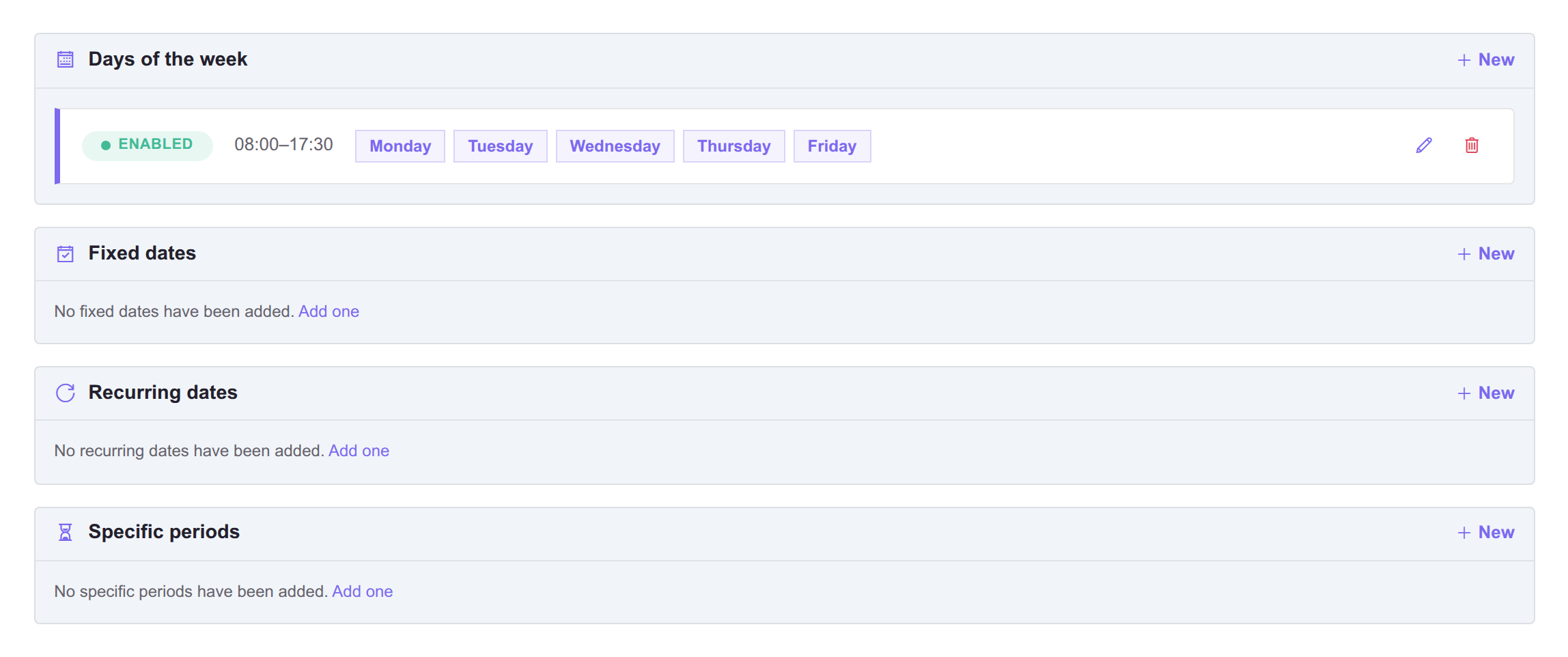
Each type has its own section and "+ New" button, so one schedule can hold several rules of different types.
A schedule is a pure time rule. "Open" versus "closed" comes from where you attach it in the flow, so read every gated step as "do this routing if the time matches".
The usual "open during business hours, closed on holidays" setup uses two schedules, not one - keep weekday hours and holiday dates separate. In the flow, place the closure step before the open-hours step so that a holiday Wednesday is handled by the closure rule even though Wednesday also falls inside the open-hours window:
1. Jump to "After-hours flow"  gated by "Holiday closures"   <- holiday dates
2. Jump to "Office hours flow" gated by "Open hours"         <- Mon-Fri 08-18
3. Jump to "After-hours flow"  unconditional                 <- everything else
The order in which gated steps are evaluated at call time is carried out by the telephony platform. Within Cockpit you control which schedule gates which step and the order the steps appear in the flow.
How to set up business hours with holiday closures
Two schedules, not one. Because a schedule matches when any single rule matches, folding holidays into the open-hours schedule would also match on Christmas Day.
- Create the two call flows the gated steps will point at: one for office hours, one for after hours.
- Create the open hours schedule, with one Days of the week step per window (Mon-Fri 08:00-18:00).
- Create a second, separate schedule for closures: Recurring dates for annual holidays, Fixed dates for one-off closures, Specific periods for anything spanning several days.
- In the inbound flow, add the gated steps in this order: closures first, open hours second, unconditional after-hours last. A holiday Wednesday has to meet the closure rule before it meets the weekday rule.
- Test by adding today as a Fixed date on the closure schedule, placing a call, then removing it again.
See also
- Call flows - where you attach a schedule to gate a step.