
An IVR (Interactive Voice Response) is the phone menu callers hear before reaching a person. "Press 1 for sales, 2 for support, 3 for accounts." You record the announcement, map each key to a destination, and the IVR plays, listens, and routes.
Overview
An IVR makes one phone number do many things: the caller chooses their own destination by pressing a digit. A key can point to another IVR for nested menus, or to a call flow for routing.
What you configure
You record an announcement, map keys to destinations, and pick a default action for any key you have not mapped (or no key at all). When the caller presses an unmapped key or nothing, the default action applies:
| Default action | What it does |
|---|---|
| Hangup | End the call. Rare - only for silent callers you want dropped. |
| Repeat | Play the announcement again. The usual choice. |
| Execute Default Step | Follow whatever the Default row in the key mapping points at. |
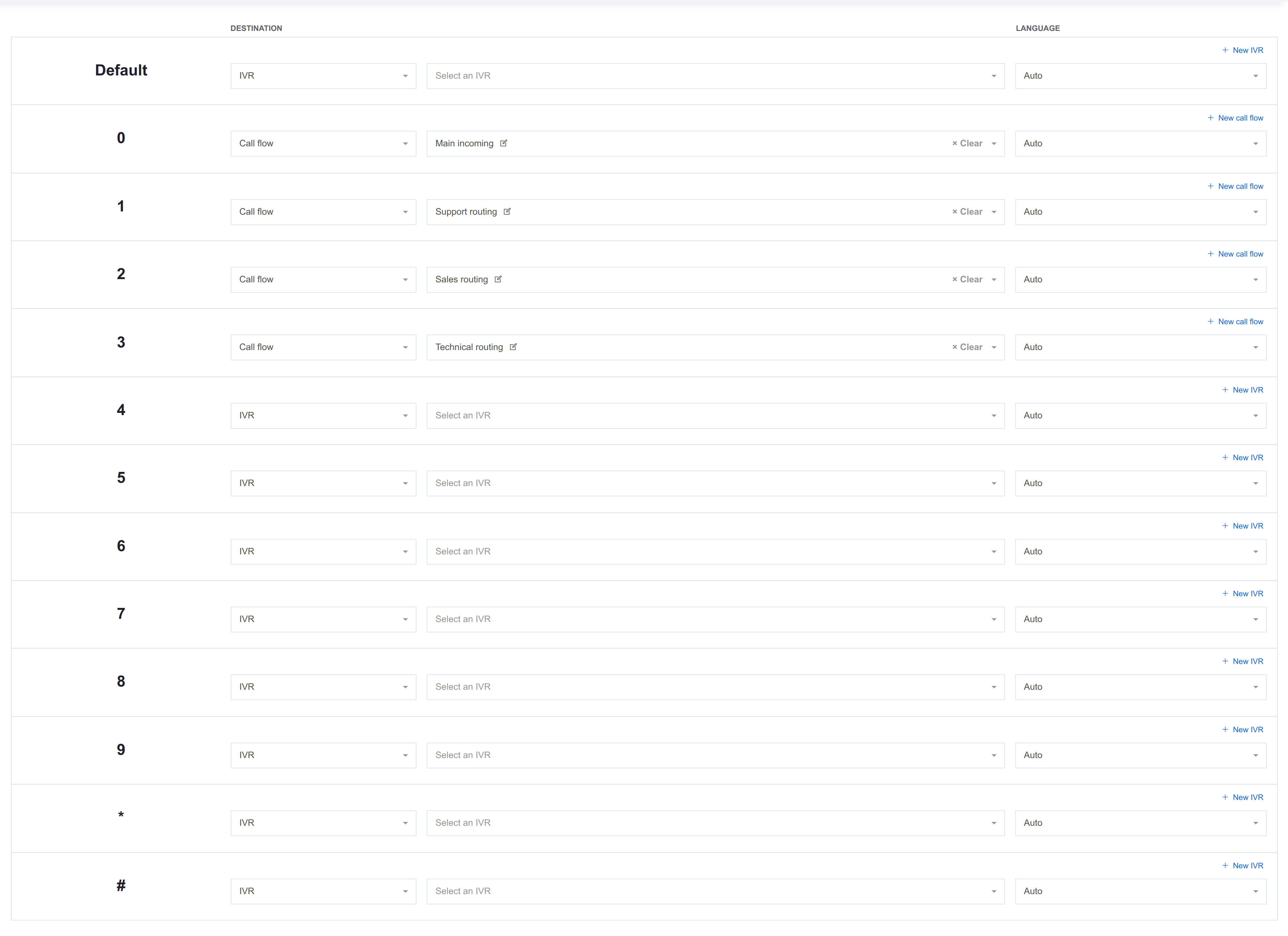
The key mapping has 13 rows: Default (used by Execute Default Step) plus the 12 keys 0 through 9, *, and #. Each row picks a target type (IVR or call flow) and a target. A row set to IVR points to another menu, enabling multi-level phone trees. Keep nesting shallow - two or three levels at most.
How to build a phone menu
- Create the destinations first. A key can only point at a call flow or another IVR, so those have to exist before there is anything to map to.
- Record the announcement that reads the menu out, naming the options in the order the keys are numbered.
- Create the IVR with that announcement and save it. The key mapping does not appear on a new IVR, so a first pass will not show it.
- Re-open the saved IVR and map the keys. Thirteen rows: Default, plus the twelve keys 0 through 9,
*and#. Leave unused keys unmapped. - Pick the default action for unmapped keys and silent callers. Repeat is the usual choice.
- Route callers in: a phone number in Call Flow mode, pointing at a flow with an IVR step.
- Test every key you mapped, then test pressing nothing at all.
- Before deleting or re-pointing this IVR later, check its Usage tab. Call flow IVR steps and other IVRs' key mappings break silently.
See also
- Call flows - the IVR step that funnels calls into an IVR, and what the IVR keys route into.
- Announcements - the sound files the IVR plays.
- Phone numbers - the DIDs that often lead to an IVR via their Call Flow handling mode.
- Queues - common destination for an IVR key.