
A call flow defines what happens to a call as an ordered set of steps: ring this user, then this group, then play an announcement, then send to voicemail. It is the building block of call routing.
Overview
A call flow is an ordered list of steps, each doing one thing. You reach for one the moment you want more than "ring one person": IVR menus, hold queues, schedule gates, announcements, and recording all compose from the same building blocks. The flow's Enabled toggle controls whether the flow is in use. When it is off, the flow is bypassed and its calls follow the PBX-wide default instead.
What it does
The actual call-time behavior, which step a call lands on and what happens when one step does not connect, is carried out by the telephony platform, not decided inside Cockpit. Cockpit stores the list, the order, and each step's configuration.
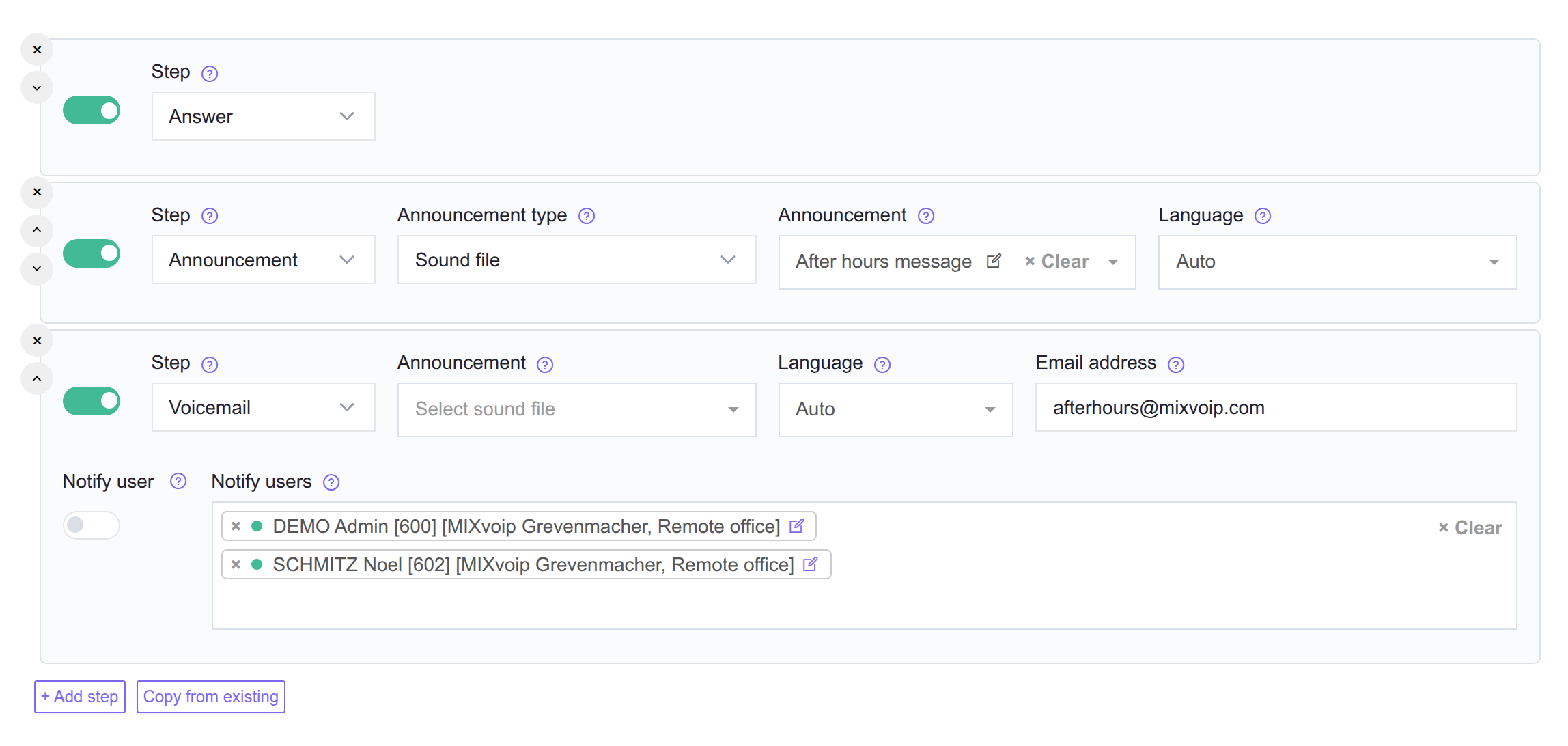
A typical inbound flow chains several attempts, for example:
- Ring User A.
- Ring Group "Sales".
- Enter a queue.
- Play "Sorry, leave a message" then hang up.
Some step types do not connect a caller to anyone - they perform a side effect or play audio (start recording, change ringtone, send an email, play an announcement). These are commonly placed before a ring attempt so the side effect or audio happens first.
A step can be gated by a schedule, which is how business-hours routing is built:
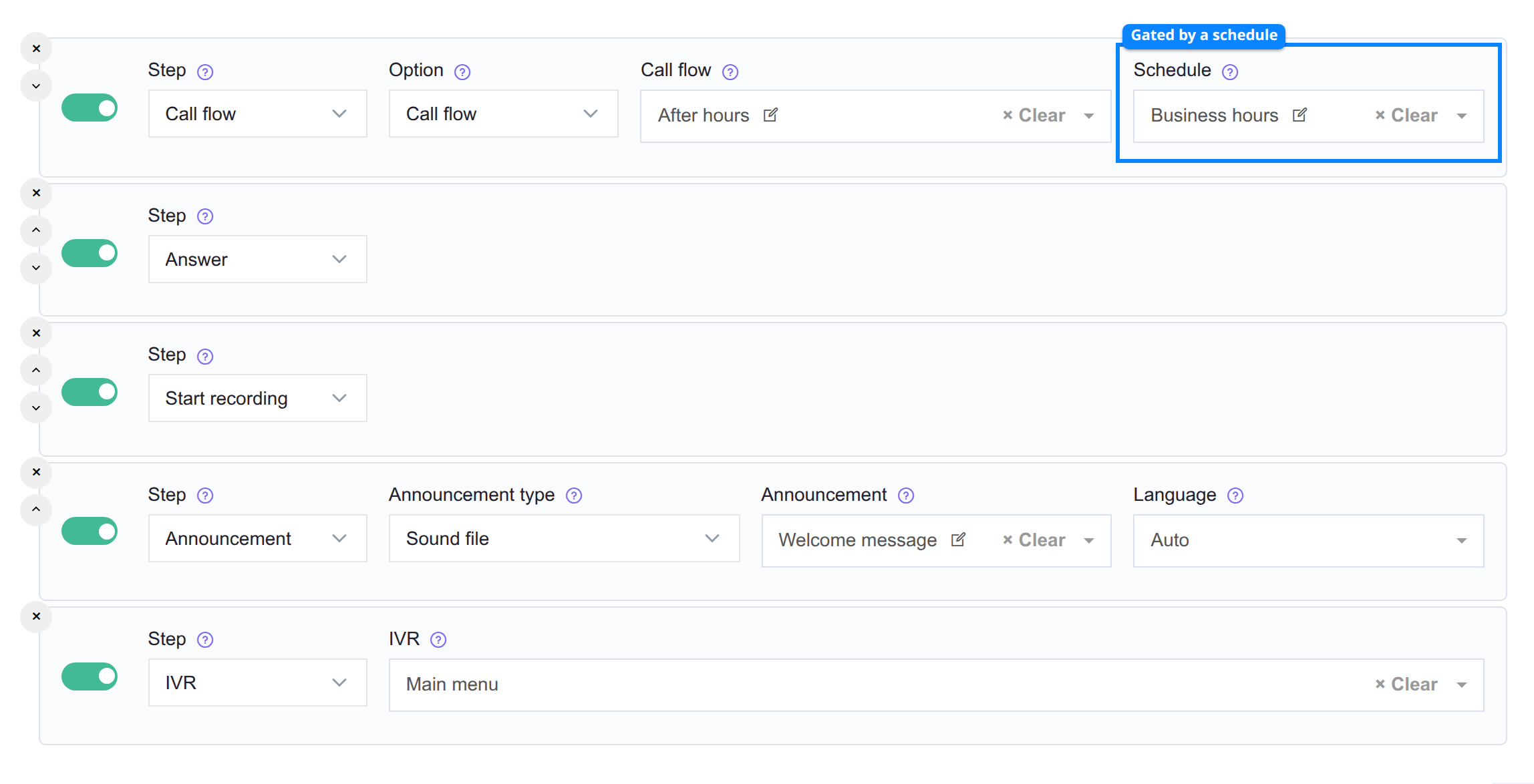
| Outline | Field | What it does |
|---|---|---|
| Blue | Schedule | Limits the step to the times the schedule matches. Empty means the step always applies. |
Steps fall into four families:
| Family | What you configure | Example types |
|---|---|---|
| Answering | Connect the caller to a destination. | Dial, Enter queue, External number, Conference room, AI Assistant |
| Navigation | Send the call to another routing destination. | Call flow (jump), IVR, IVR extension |
| Audio | Play something to the caller. | Announcement, Text to speech, Answer |
| Side-effect | Perform an action without rerouting. | Start recording, Change ringtone and label, Send to email, Webhook, Multicast, Hang up |
Some step types are terminal - the editor does not allow another step after them (for example IVR, Conference room, Multicast, Hang up). For the full per-type field reference, see Call flow steps.
See also
- Extensions - how to attach a call flow to an extension's internal or external incoming path.
- Queues - the queue model that Enter queue steps reference.
- Phone numbers - the inbound DIDs you assign call flows to.
- Schedules - time-based gating for Call flow steps.
- IVRs - the menus an IVR step routes through.