
A phone number is one of your external telephone numbers - a DID (Direct Inward Dialing) - the number outside callers dial to reach your tenant.
Overview
A phone number connects the outside world to your PBX. Inbound calls arrive through a SIP carrier, and the number's handling strategy decides where they go from there. The same record also controls outbound caller identity: who may present this number when dialling out.
Numbers are provisioned by your carrier and appear in Cockpit automatically, stored in E.164 format (+352 12 34 56 78). The number field is read-only, and a number disappears only when the carrier de-provisions it.
What it does
The handling strategy switches between six routing modes. Changing the mode reshapes the form below.
| Mode | What it does | When to use |
|---|---|---|
| Default | Match the dialled digits to an extension and run its call flow. Run a fallback flow if no match. | A number that covers a block of direct-dial extensions. |
| Rewrite | Strip a prefix from the incoming digits, optionally add a different one, then run Default-style matching. | Carrier delivers numbers in a format that does not match your extension scheme. |
| Call Flow | Send every inbound call straight to a chosen call flow. | Single-purpose numbers: support hotline, sales line, emergency line. Most numbers should be on this mode. |
| Extension | Inbound calls go directly to one specific extension. | A personal direct-dial line for one person. |
| User | Inbound calls go directly to one specific user and all their devices. | Same as Extension but keyed to the user. |
| SIP Device | Inbound calls go directly to one specific SIP device. | Lobby phones, conference rooms - the device matters more than who is at it. |
The form labels this field Incoming call routing. When in doubt, pick Call Flow and write the logic in the flow. Extension, User, and SIP Device are convenient shortcuts but lose flexibility - no schedule, no IVR, no fallback.
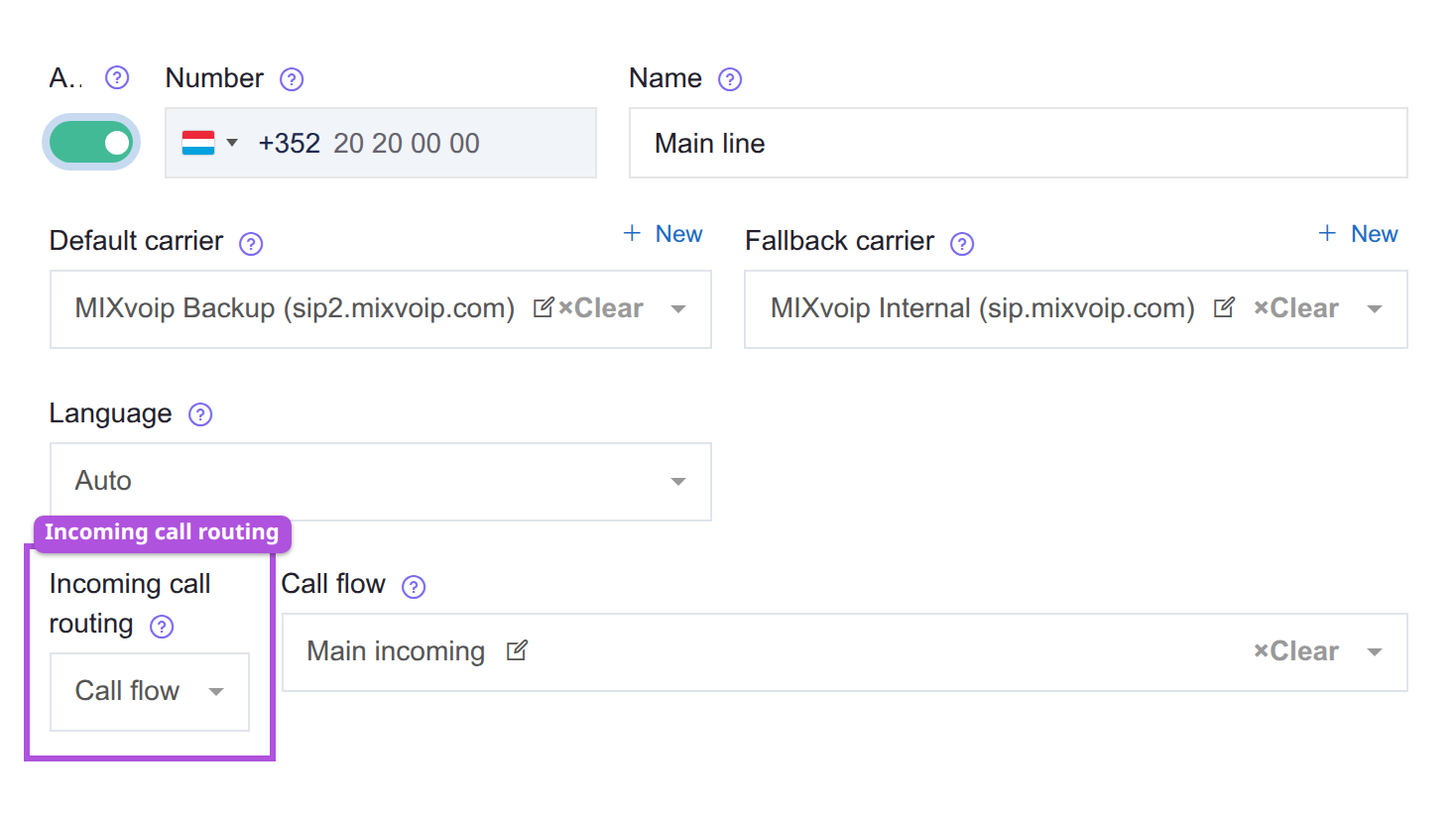
| Outline | Field | What it does |
|---|---|---|
| Purple | Incoming call routing | Picks the mode. The fields beside it change with the mode chosen. |
The Assignations tab is the permission list for outbound caller ID. Users, groups (members inherit), and SIP devices listed here may present this number when dialling out. This controls outbound presentation only - it does not make the number ring for anyone.
How to point an inbound number at a team
- Build the destination first: the queue or group that answers, and a call flow that reaches it. A number pointed at nothing leaves inbound callers nowhere to land.
- Open the number. The number itself is read-only, provisioned by your carrier.
- Set the handling strategy to Call Flow and pick the flow. Extension, User, and SIP Device are shortcuts that give up schedules, IVRs, and fallbacks, so prefer Call Flow for anything a team answers.
- Decide the mode before you save and move on. Switching modes does not carry settings over, so a round trip through another mode loses what you picked.
- Test with a real inbound call.
- Only if people also need to present this number when dialling out, add them on the Assignations tab. That tab is outbound presentation only and never makes the number ring for anybody, which is the usual reason a number "is not reaching" a team that was added there and nowhere else.
See also
- Call flows - what the handling-strategy pickers actually point at.
- Extensions - the internal targets reached by Default-mode extension matching.
- SIP carriers - the routes that deliver and dispatch calls.