
A pool is a dynamic group of users defined by rules instead of an explicit list. It resolves afresh every time it is evaluated, so somebody who starts matching the criteria tomorrow is in the pool tomorrow with nobody editing anything.
Overview
A pool expresses "everyone matching these criteria" without maintaining the roster by hand. You write criteria like "include the Sales group, filter to French speakers in Brussels", and add a new user to Sales tomorrow and they appear in the pool automatically. Use a pool for queues, multicasts, and call flow steps that should adapt as the team changes. Use a Group instead when the roster is the source of truth and you want explicit control.
What it does
A pool runs a two-phase selection every time it is evaluated:
| Phase | Logic | What it does |
|---|---|---|
| Add to selection (Includes) | OR / union | Casts the initial wide net. A user matches if they belong to any of the listed groups, tags, languages, or locations. |
| Filter selection using | AND / intersection | Narrows the candidates down. Only users who also match all filter criteria survive into the final pool. |
For example: "include the Sales group, filter by French language" resolves to every member of Sales who also has French set as their language.
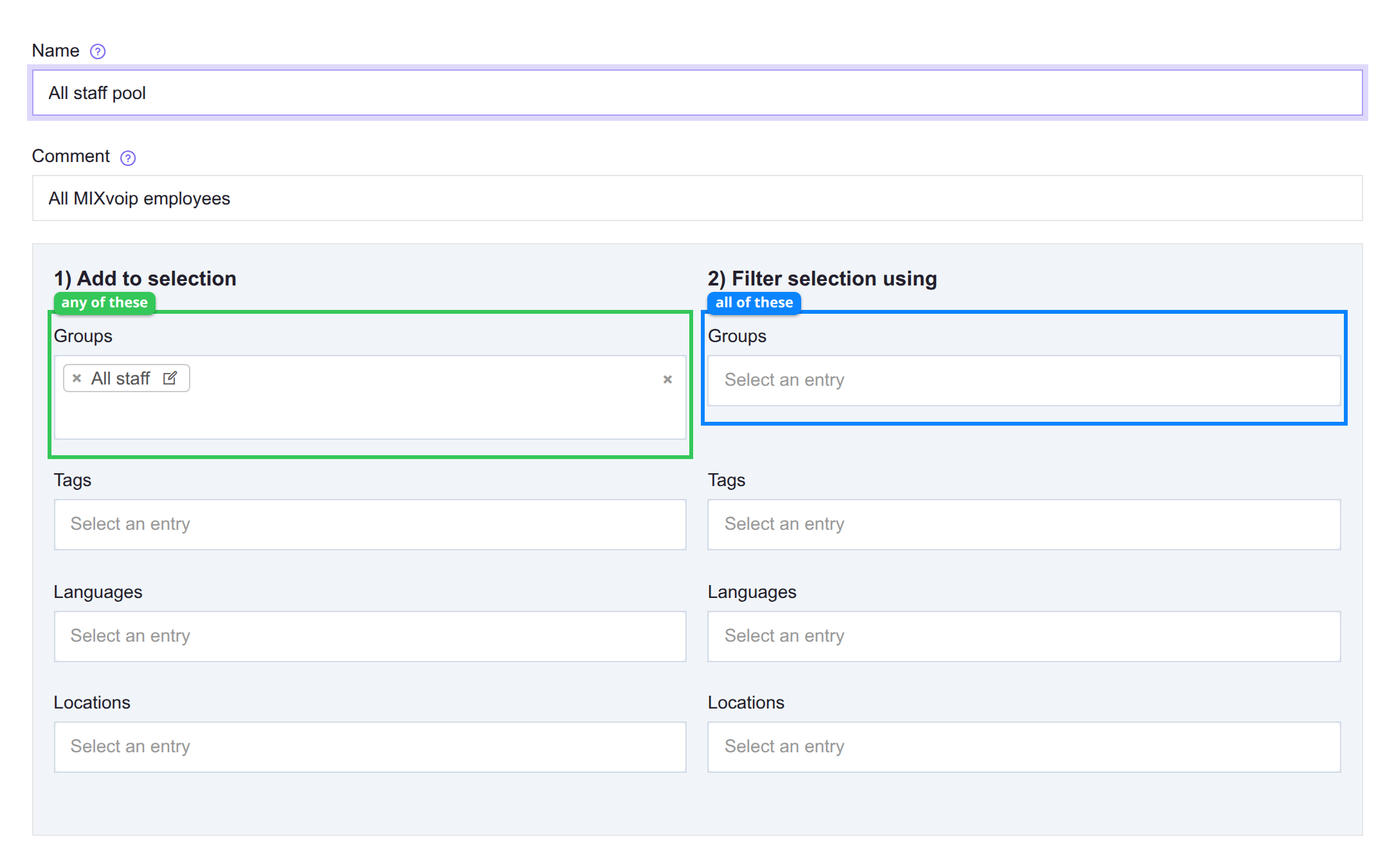
| Outline | Column | Logic |
|---|---|---|
| Green | Add to selection | Matches a user who is in any one of these. |
| Blue | Filter selection using | Keeps only users who match all of these. |
The two columns hold the same four criteria types, which is why the phase a value sits in matters more than the value itself.
The edit page shows a members preview that resolves the current criteria live as you make changes. Use it to verify your criteria produce the expected list before saving.
Pools are consumed by queues (members become agents), call flow steps (Ring user / Dial steps target a pool), and multicasts (members receive the page). The pool's Usage tab lists every place it is referenced.